Funnel case study
A first-time buyer funnel, built end to end
Four free tools I built for my own business. A buyer runs their numbers without giving up an email, finds out where they actually stand, and lands in the CRM tagged with what they need. Everything below is real and still live, so every screen is one click away.
How to look around
Every screenshot and every link opens the real page in a new tab, in any order. The forms are wired to the live CRM, so skip submitting one unless you want to become a lead.
- Free tools
- 4
- Screens
- 20+
- Readiness tiers
- 3
- Email sequences
- 4
How the Four Tools Work Together
Two open front doors, two gated offers, one destination.
The calculators are parallel, not sequential. Affordability answers "how much." Rent vs buy answers "why at all."
Every path ends at a call. The 10-step guide reaches the rest through email, not through another button.
1. The Affordability Calculator
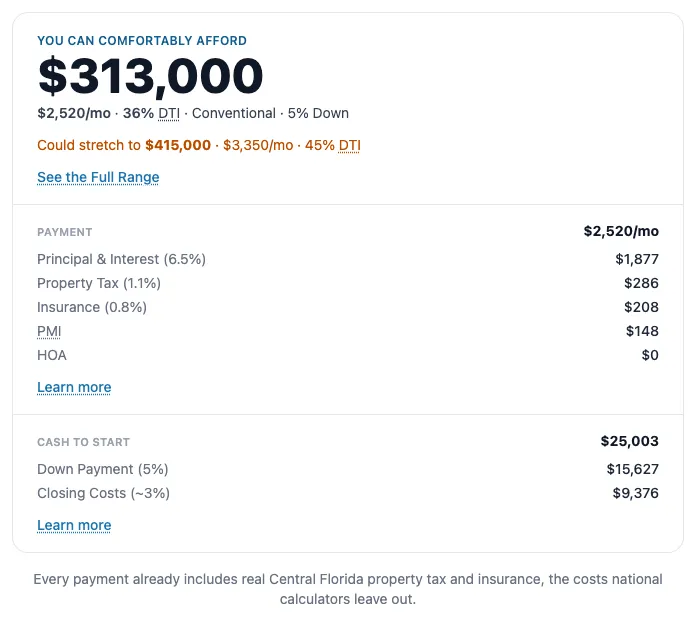
The widest door in. Two numbers a buyer already knows, and out comes a comfortable price and an honest stretch, for 3%, 5%, or 20% down. Real Central Florida property tax and insurance sit inside every number, which is the part national calculators leave out. Nothing is gated, and the page prints to a one-pager a buyer can hand a lender. Value first: the tool answers the question before it has any right to ask for an email, and it never does. The only ask is a callback form at the bottom, for the buyer who wants a person instead.
2. The Rent vs Buy Calculator
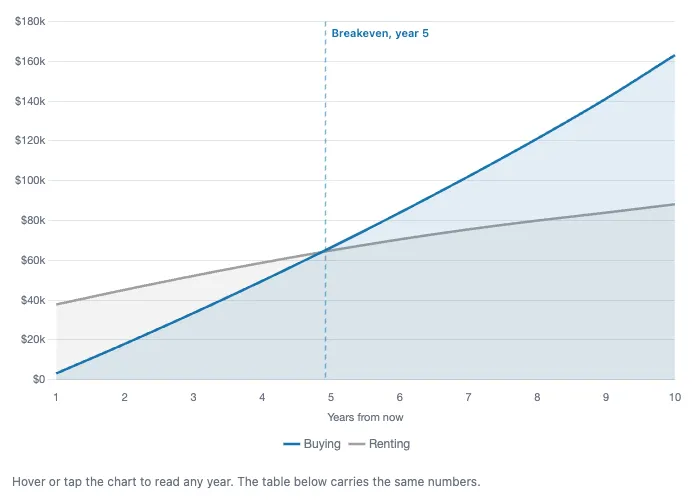
Renting is cheaper than owning across most of the Orlando area right now. This tool says so out loud, then finds the year buying catches up. Three numbers a renter already knows go in. The model carries Florida taxes, insurance, maintenance, and what the down payment would have earned if it stayed invested. The CTA under the answer sends them to the quiz.
3. The Readiness Quiz
Ten questions about credit, savings, and timeline. One score. Three different funnels out the other side. This is the first point in the funnel that asks for an email, and it asks only after the buyer has already gotten two free answers and is about to get a third one written for their exact situation. Every tier then runs the same four screens: result reveal, opt-in, bonus, confirmation. Only the content and the follow-up change.
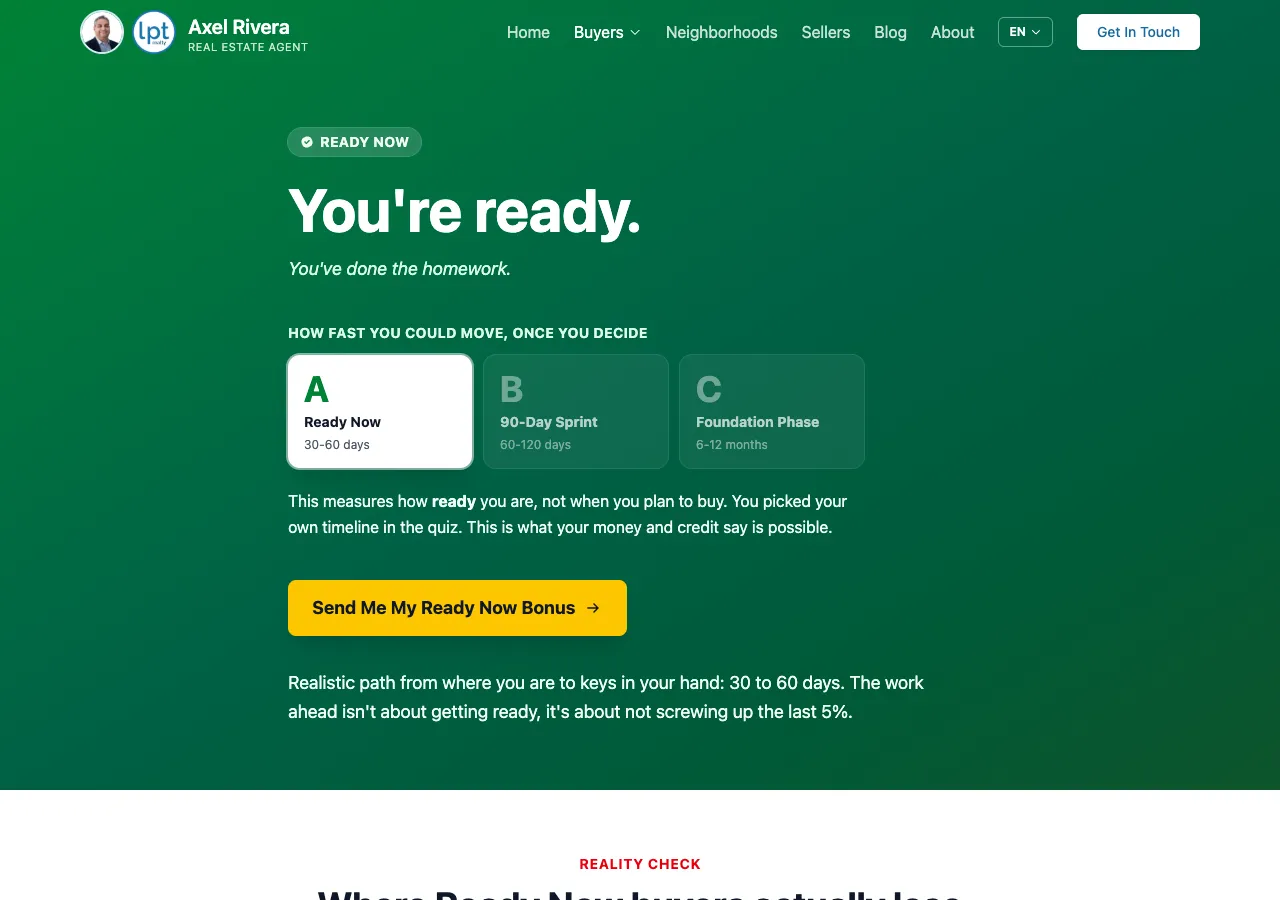
Ready Now
30 to 60 days
- Who
- Credit, savings, and timeline all line up. Nothing to fix first.
- Bonus
- Ready Now guide: the mistakes that cost ready buyers the deal, plus a current Orlando market snapshot.
- Follow-up
- 5 emails over 2 weeks, working toward a booked buyer strategy call.
90-Day Sprint
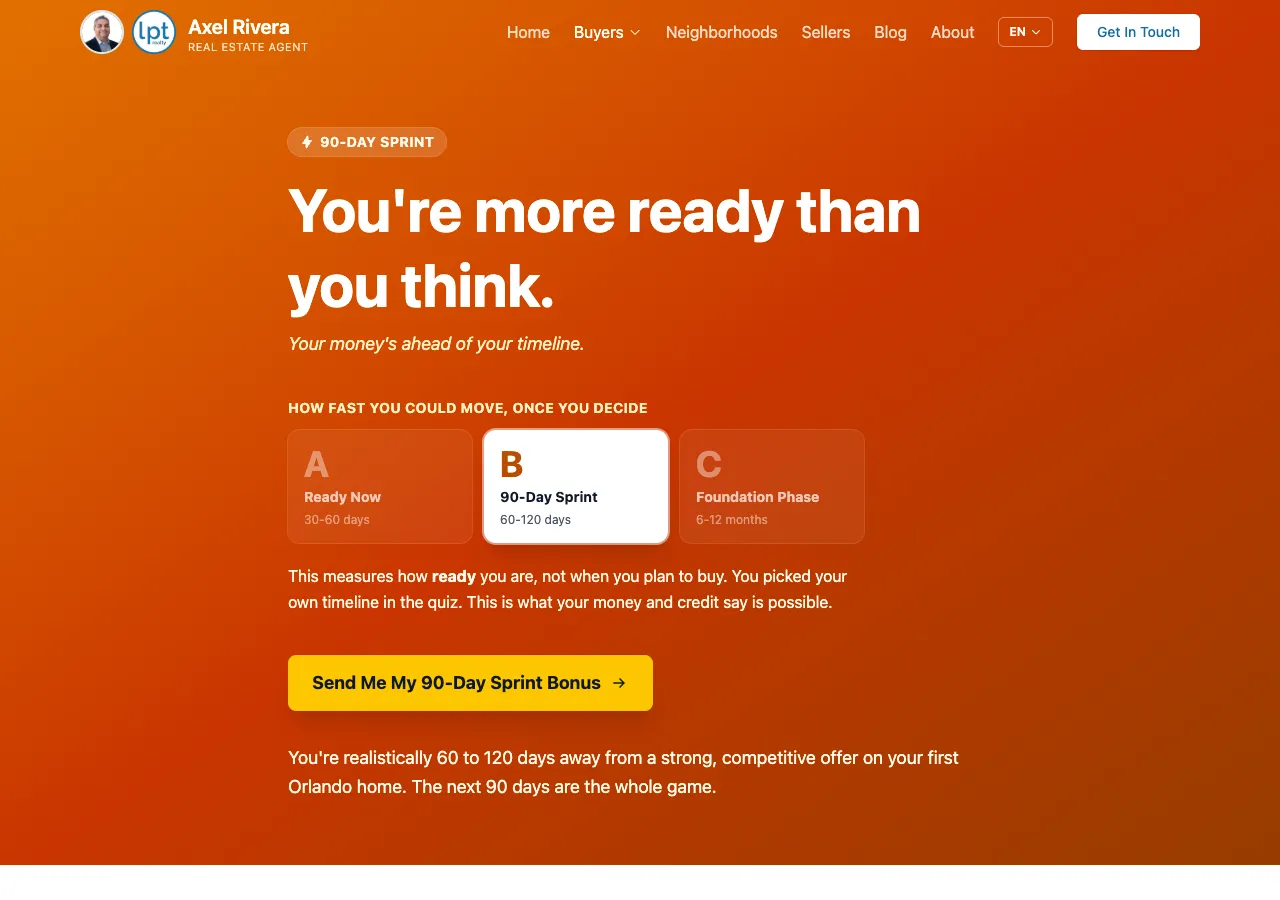
60 to 120 days
- Who
- Close, with a gap or two to close first. Usually credit or cash.
- Bonus
- 90-Day Sprint plan: what to fix, in what order, on a dated schedule.
- Follow-up
- 5 emails over 2 weeks, working toward the 10-step roadmap download.
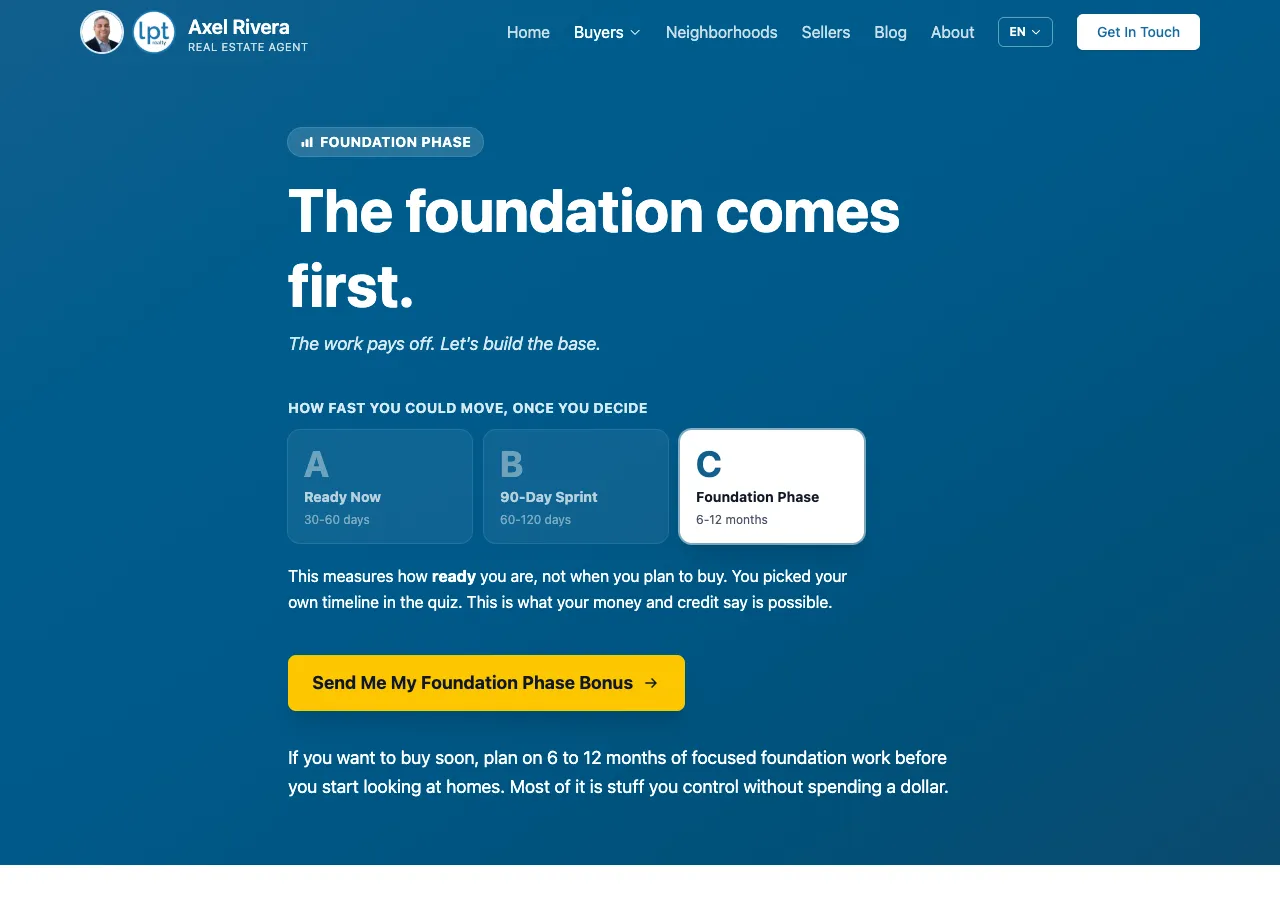
Foundation Phase
6 to 12 months
- Who
- Early. Real work ahead on credit, debt, or down payment.
- Bonus
- Foundation guide: the first things to move, with no pressure to rush.
- Follow-up
- 9 emails, one a week for two months. Downloaders can continue up to four months.
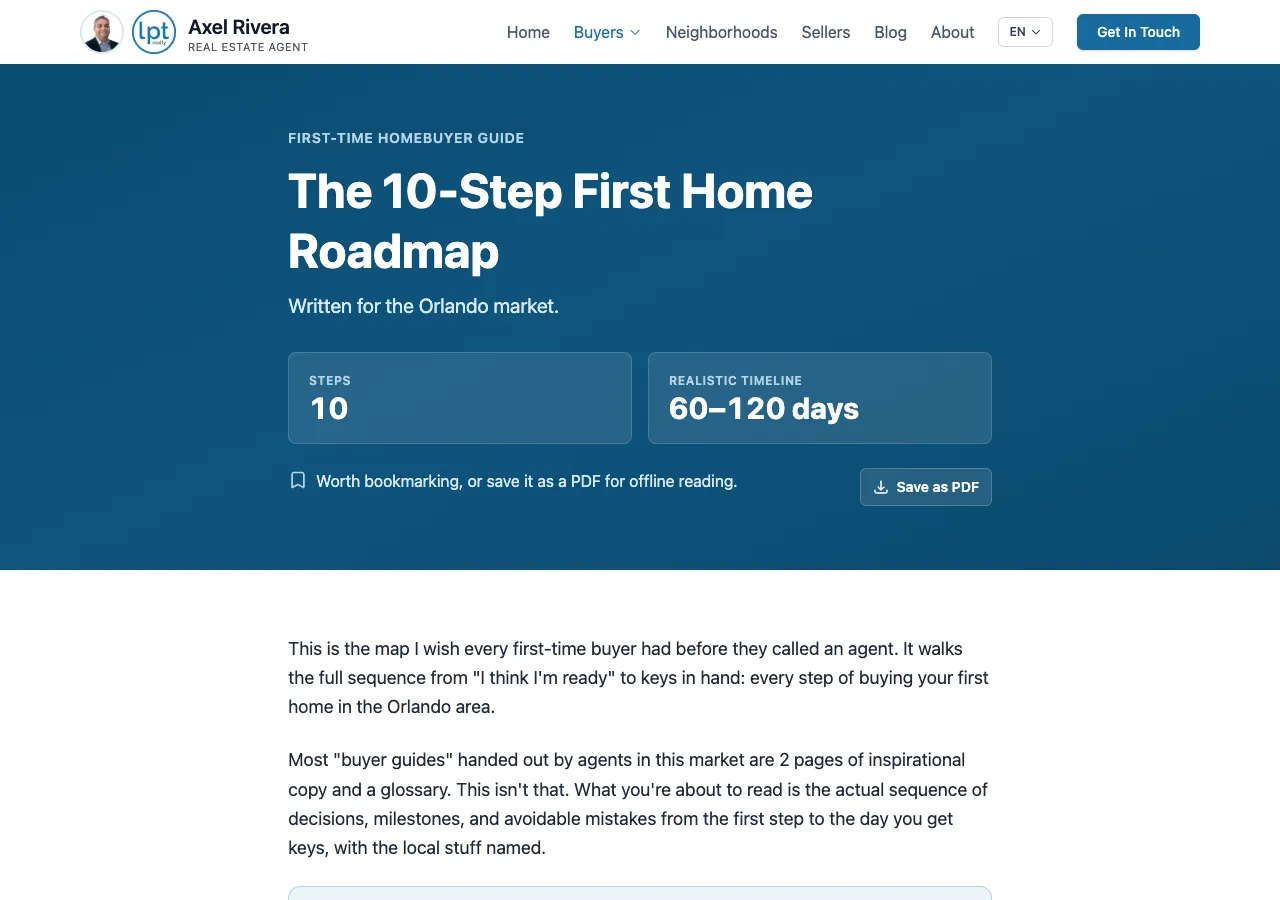
4. The 10-Step Roadmap
A standalone guide for the buyer who wants the whole picture before they talk to anyone. This is the funnel's other gate: they opt in, it hits their inbox, and they can read it on the spot. Step 2 links back to the calculator, and the whole thing prints or saves as a PDF.
Automatic email follow-up
Everyone who opts in gets 9 educational emails, one a week for two months, working toward a buyer strategy session at the end.
How Buyers Get In
YouTube is the main source. Each video ends pointing at the one tool that fits its topic: affordability to the calculator, "should I even buy?" to rent vs buy, "am I ready?" to the quiz, the whole process to the roadmap. The channel is @AxelRiveraRealtor. Blog posts and social are secondary, and every post carries a CTA block routed to whichever tool matches its subject.
How It Is Built
- Astro
The site builder. Every page here is static, so the calculators run in the browser with no server behind them.
- Make
The automation layer. It receives every form on these pages and routes the lead, the tags, and the follow-up sequence.
- Follow Up Boss
The CRM. Every lead lands there tagged with the tool and the tier it came in through.
The Decisions Behind It
The reasoning, for anyone who wants it. Everything above works without reading this part.
Why the calculators are not gated
Value first, then trust, then the ask. A real answer in 30 seconds with nothing owed in return is what earns the right to ask for an email later. A gate on the front door skips straight to the ask, and it costs more traffic than the emails are worth.
What the open front door costs
Fewer emails than a gated calculator would collect. That is the trade, and it is deliberate. A buyer who runs their numbers, comes back for the quiz, and then hands over an email has already shown me something a forced form never would. A list full of people who wanted one number is not an asset. This is a judgment call, not a law: the traffic and the handoff from each tool into the quiz are both tracked, and if the analytics say the gate belongs somewhere else, it moves.
Why two calculators instead of one
Affordability answers "how much." Rent vs buy answers "why at all." Those are different objections, and a renter who is not convinced that buying beats renting will never act on a price. Both are ungated, both hand off to the quiz, and both offer the same callback form, so neither one sits in front of the other.
Why every tier ends at a call
All three bonus pages convert to the same thing: a booked consultation. Tier B buyers are 60 to 120 days out, and the first move in that window is a pre-approval, so the page points them at a conversation instead of another download. The 10-step guide still reaches them through the nurture emails, where a second download is an easier yes than it is mid-page.
Why four tools instead of one lead magnet
So a video, a post, or a page can point at whichever tool matches its subject, instead of pushing everyone into one generic download. The tool a buyer picks also tells me what they are worried about, and that tag rides along into the CRM.
Where the funnel asks for an email
Two places, both of them past the free tools: the quiz opt-in and the roadmap opt-in. Both hand back something a buyer cannot get from a slider, which is a plan written for where they stand or the whole ten-step sequence. That is worth an email. A mortgage payment estimate is not, so the calculators never ask.
Want Something Like This for Your Business?
I build these: the tools, the funnel logic, the automation behind them. Tell me what you are trying to fix and I will tell you what it would take.
Contact Me